Google brings background computer use to Gemini for Mac
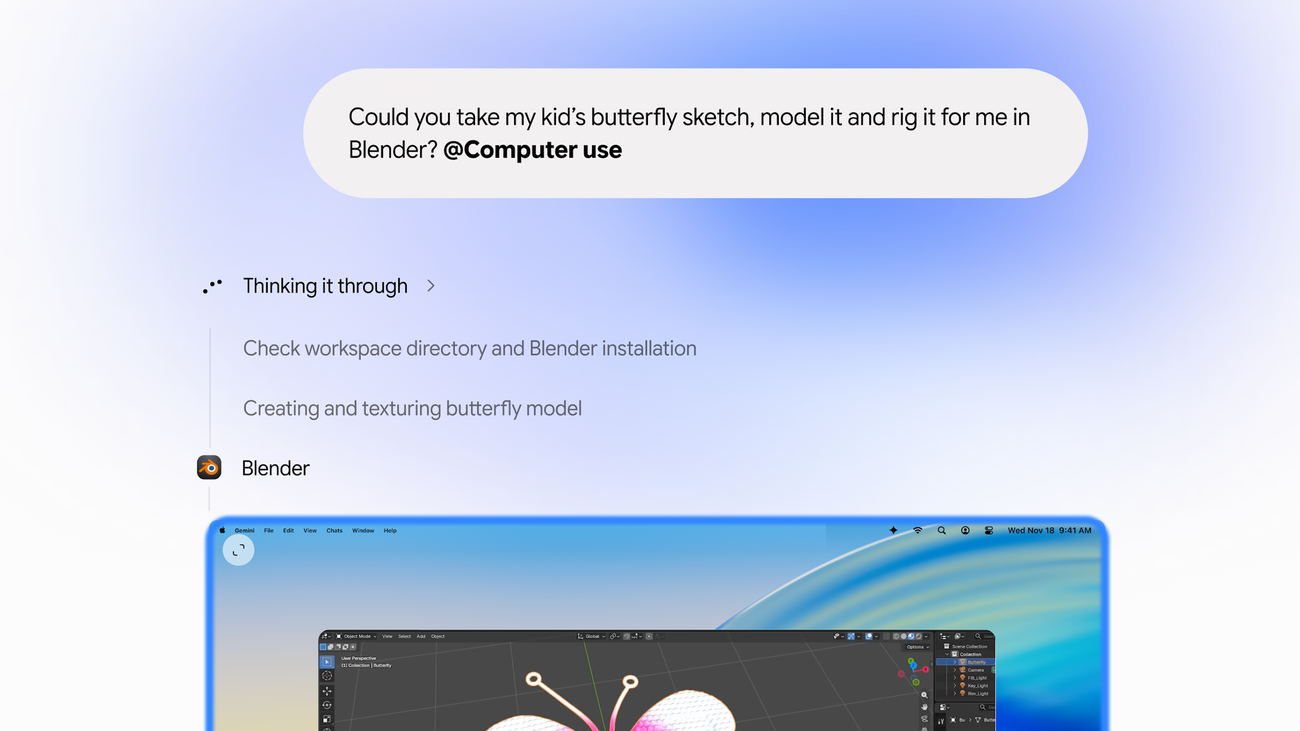
Google announced computer use for its Gemini app on Mac on November 19, 2026. The feature lets the assistant click, type, navigate menus and complete forms across desktop applications, local files and websites. Users describe a task instead of carrying out each step themselves.
Gemini works in a separate background window, with a live preview inside the conversation. Google says this leaves the main screen and cursor available for other work. Users choose which applications the assistant may access and can stop a task at any point. The official release notes say Gemini pauses for logins and payments and may request confirmation before sensitive actions.
Google's examples include extracting parcel details from PDFs to prepare shipping quotes, gathering dashboard information for a Google Slides presentation, and preparing listings from clothing photographs. These are proposed workflows from the company, rather than independent evidence of how reliably the feature completes every job.
The rollout starts in English in the United States for adults with personal Google accounts and Google AI Plus, Pro or Ultra subscriptions. It requires an Apple silicon Mac running macOS Sequoia 15.0 or later. Google's support documentation says work and school accounts are currently excluded. Dutch availability has not been announced.
That documentation also explains the permissions behind the feature. Users enable Accessibility and Screen & System Audio Recording and can allow or block individual applications. Optional file backups offer a recovery mechanism, but Google says backups are not always possible and some changes cannot be reversed. It also warns that misleading content inside an allowed app can influence an agent's subsequent actions.
The practical opportunity is work that crosses applications without a convenient integration. Preparing a document from several sources can involve more copying and clicking than writing; delegating those steps could reduce that overhead. For businesses considering similar tools, access controls and the ability to inspect results become part of evaluating their usefulness.
The announcement expands what Gemini can do on a Mac, beyond generating an answer or inserting text. Its value will depend on successful task completion, the corrections required and whether users are comfortable granting the necessary access.